
Adding videos to your page is simple using the Video module. The module allows you to embed videos from virtually any source, and lets you customize the thumbnail image and play button for a cleaner, more professional look.
How to Add a Video Module to Your Page
-
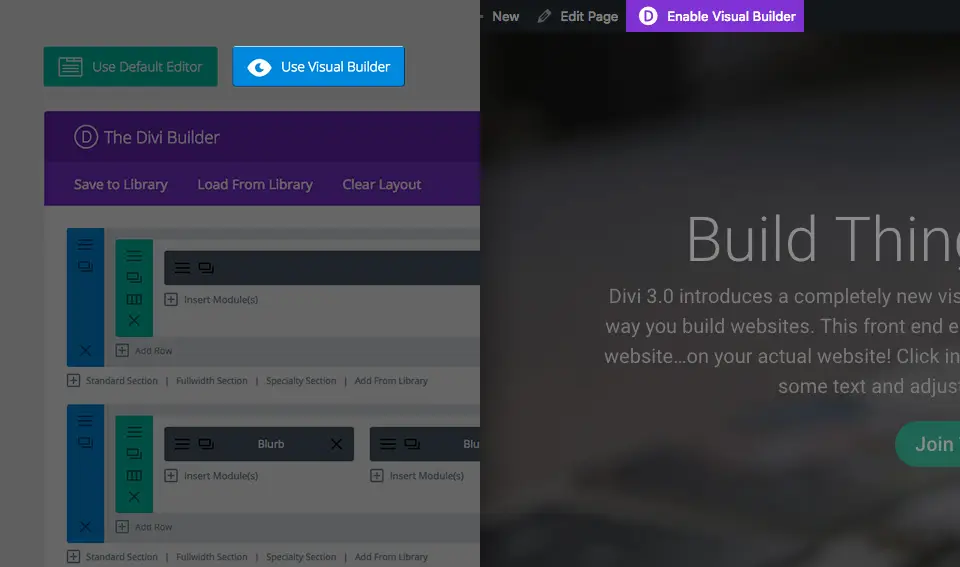
Open the Visual Builder
Once your theme has been installed, you will see a Use Divi Builder button above the post editor whenever you create a new page. Click that button to enable the builder and access all available modules. Then click Use Visual Builder to launch the builder in Visual Mode. You can also activate the Visual Builder while browsing your site on the front end, as long as you are logged in to your WordPress Dashboard.
-
Add a New Module to Your Page
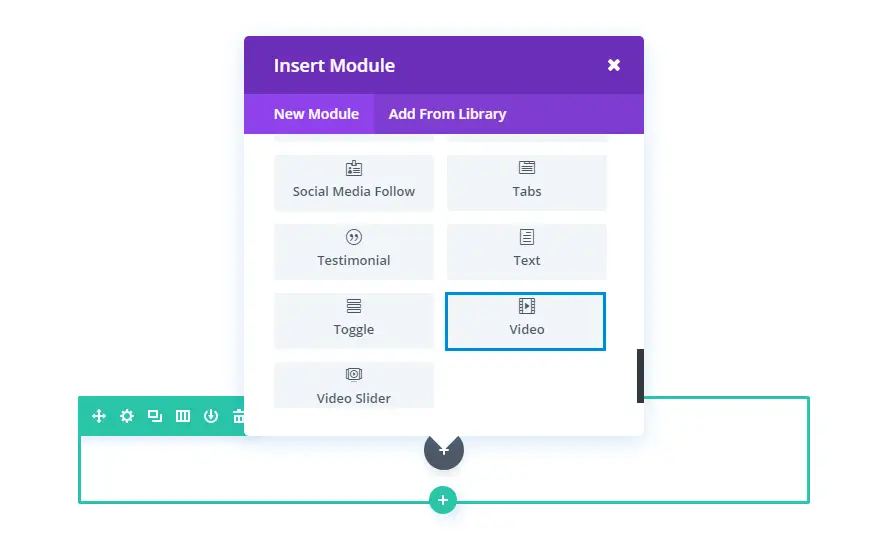
Once inside the Visual Builder, click the gray + (plus) button to add a new module. Modules can only be placed inside Rows, so if you are starting a fresh page, make sure to add a row first. Need help? Check out the official documentation on rows and sections.
-
Select and Configure the Video Module
Locate the Video module in the module list and click it to add it to your page. The list is searchable — simply type “video” and press Enter to find and add it instantly. Once added, you will be presented with the module’s settings, organized into three main groups:
- Content – Add your video URL and thumbnail image.
- Design – Customize the appearance and play button style.
- Advanced – Apply custom CSS or additional settings.
Use Case Example: Adding a Video to Your Landing Page
Adding a video to your landing page is a highly effective way to showcase your products and increase conversions. Position the video module in a prominent location on the page — such as above the fold or alongside your primary call to action — to capture visitor attention and communicate your message quickly.
Have questions about setting up your business phone system or toll-free number? Our team is here to help.